
Overview
The technical system features a Focusrite Scarlett 18i20 (3rd Gen) audio interface with 8x physical audio inputs and outputs (I/O), and a MIDIFACE 16x16 MIDI matrix with 16x MIDI 5-pin din I/O. To expand the number of physical audio I/O from 8 to 16, a Behringer ADA8200 Ultragain Pro Digital converter is connected to the Scarlett via ADAT.
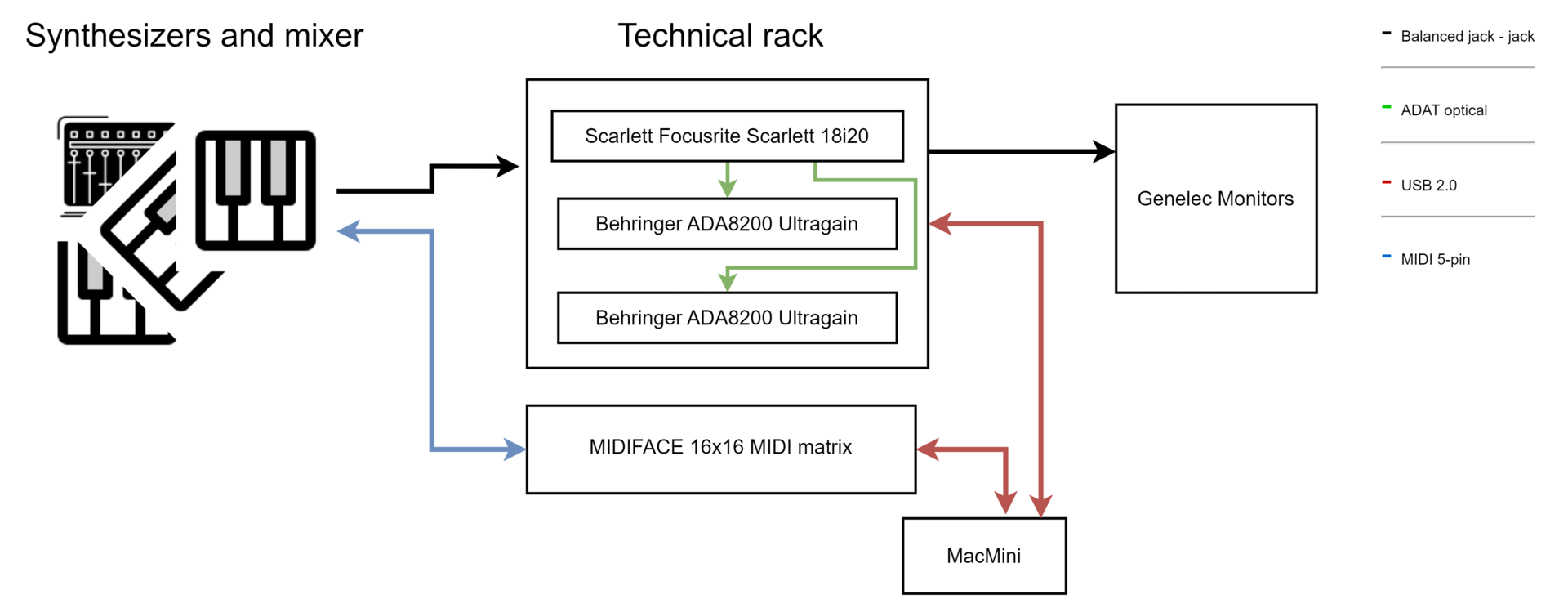
Due to this amount of connectivity, every instrument in the Synthroom has a unique physical audio and MIDI I/O channel. This alleviates the need for additional cable patching/routing, as you can get audio and control signals (in and out) from any instrument in software at any time.
Monitoring and Software (Focusrite Control)
Currently, the Synthroom only has one set of Genelec 1032 A monitors in use. The monitors are active and connected directly to outputs 1-2 on the Scarlett interface. To adjust the volume of the speakers, use the Monitor knob on the Scarlett.

Before you turn on the Scarlett interface, make sure the speakers are off. Also, make sure that the Genelec 1032 volume level is even and fairly high. To make these adjustments, access the backside of the Genelec monitors.
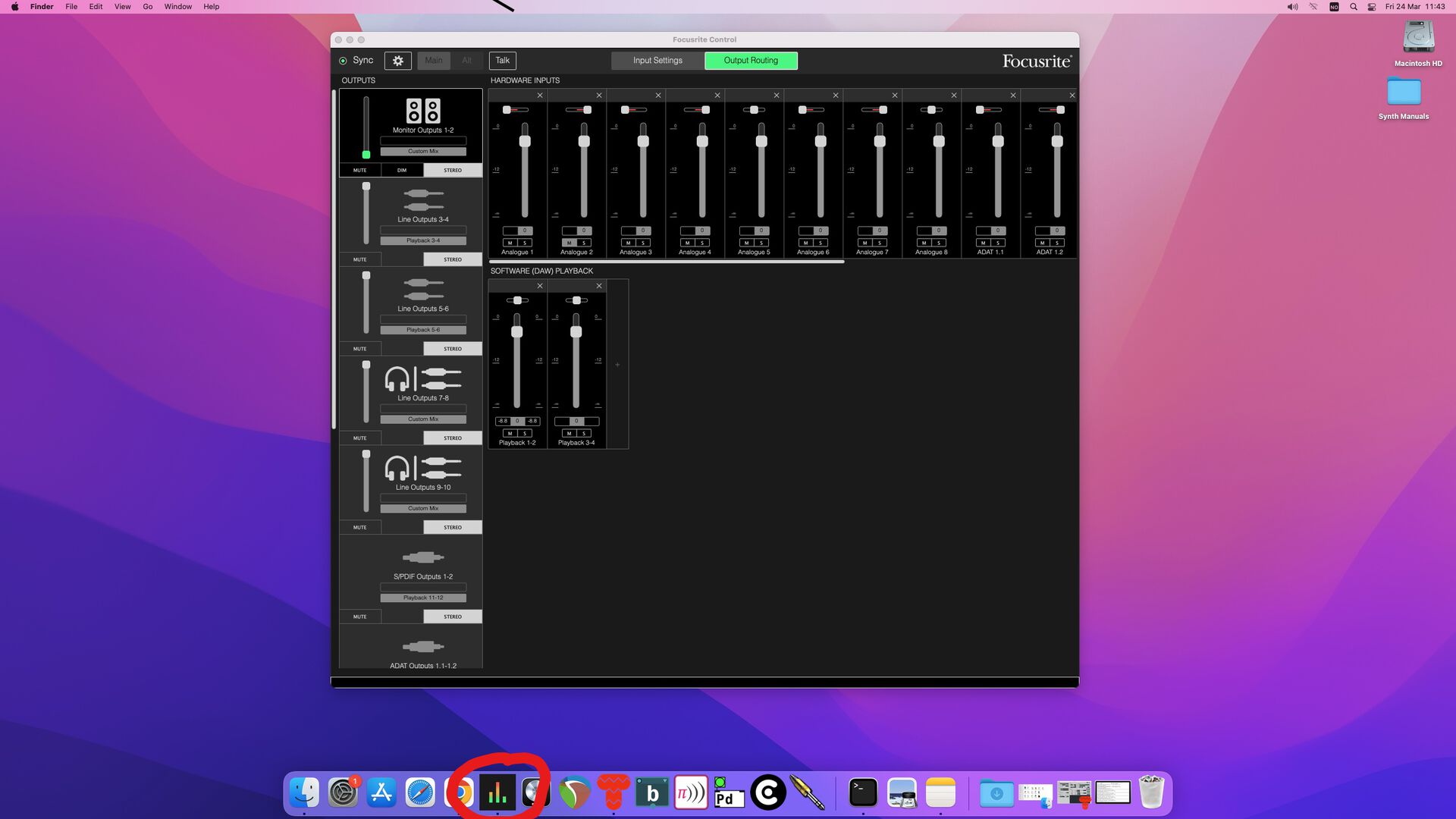
The Focusrite Control software on the Synthroom MacMini allows you to configure the audio interface routing, settings and adjust volume and gain. To reset the interface to its default, download and load this custom snapshot file into the Focusrite Control software: synthroom-focusrite-control-preset-2026.ff.
Monitor outputs 1-2 on the Scarlett interface are the main outputs. These go straight to the speaker/source selector device.
How To Connect Your Machine
The Scarlett and MIDIFACE are connected to the stationary MacMini via USB 2.0. If you wish to connect the hardware to your own machine, simply disconnect the USB from the MacMini and connect it to your device.
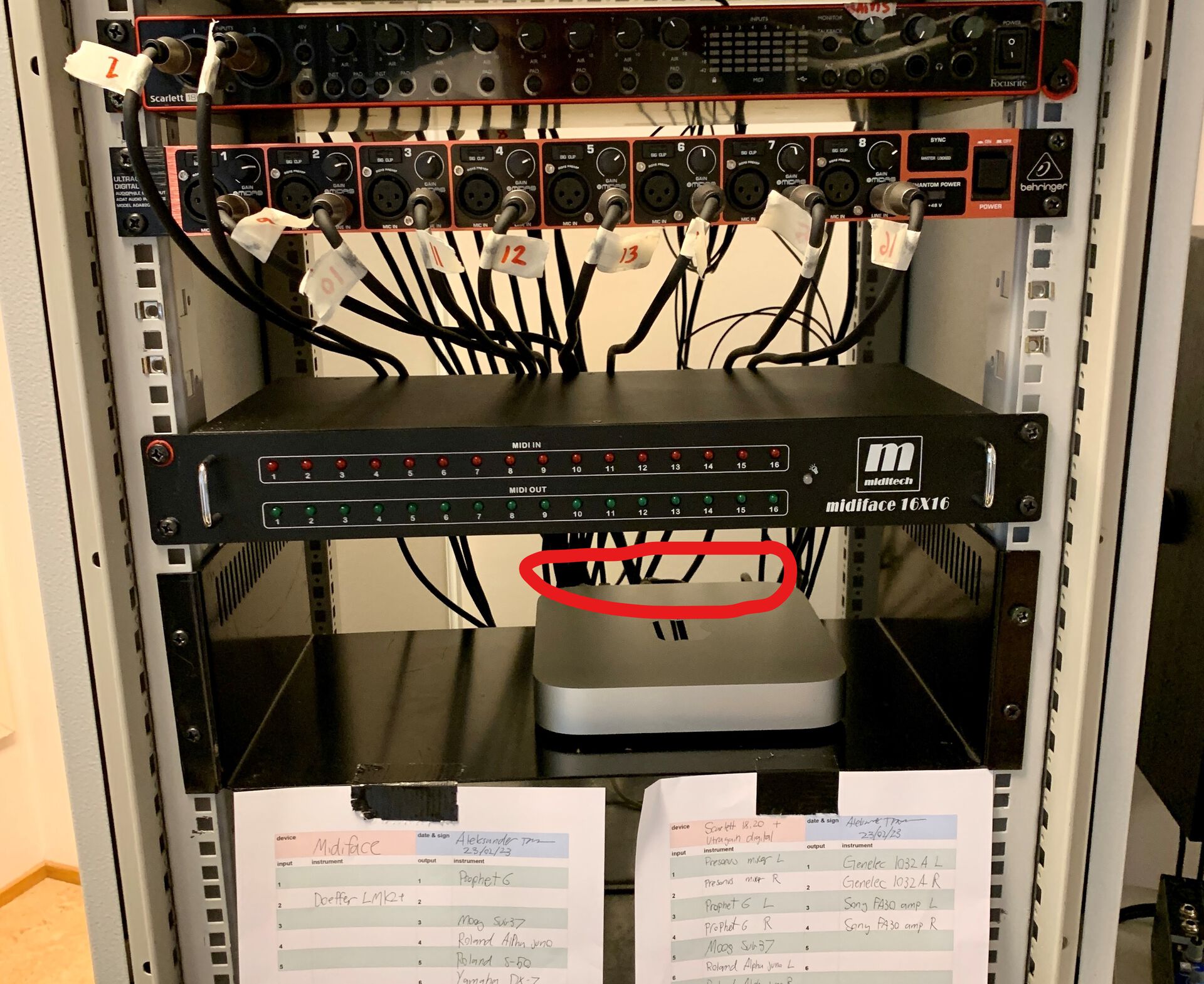
Remember to reconnect the hardware to the Mac Mini before you leave.
How To Make Routing Changes
It is not recommended that you make changes to the Synthroom cable routing. However, it is possible to cater to special needs. If you want to update the routing, fill out a new routing schema and hang it on the rack. You will find routing schema templates in the rack drawer.

I/O Routing Excel diagrams
Download synthrom connection diagram 1-16.pdf
Download synthrom connection diagram 17-32.pdf
How To Use The Eurorack Modular System
Use the 305 EQ/MIXER/OUTPUT module as the primary audio line-level output to connect with an external mixer, speakers, soundcard, or recorder. Similarly, the PERFECT PITCH PP1 can be used to track pitch and generate a sequence of notes from an external audio signal, whether it's line or instrument level. The generated notes are output through MIDI, USB, and CV/Gate interfaces.
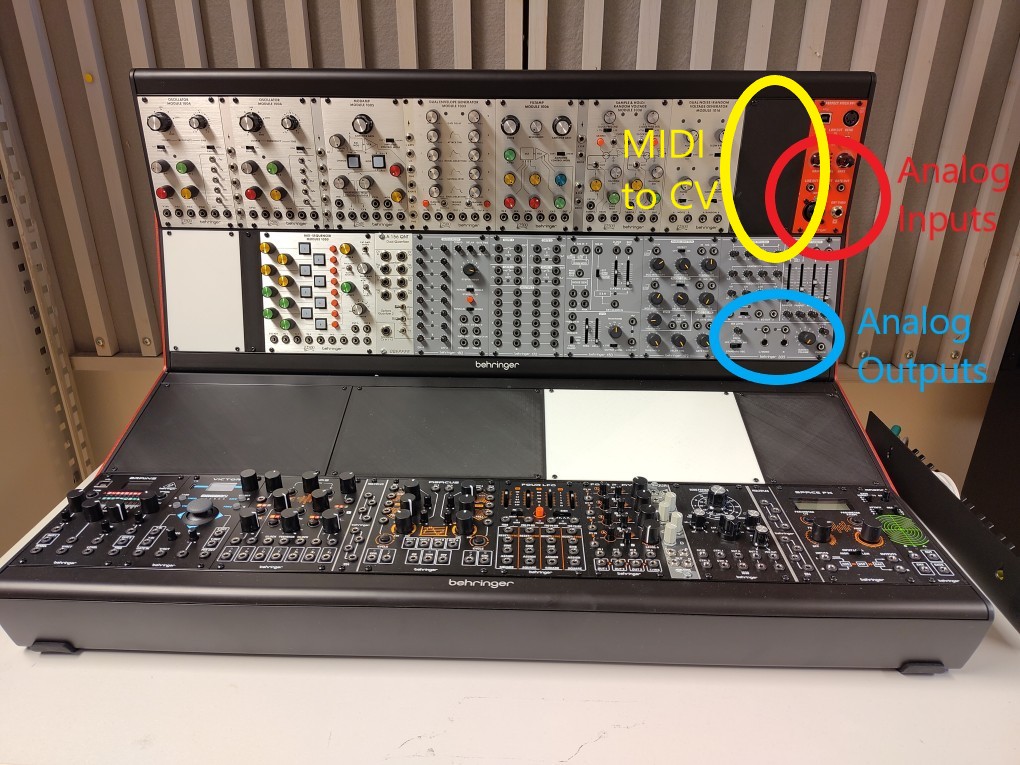
Finally, the CM1A can be used to interface with a MIDI sequencer or keyboard. It converts monophonic MIDI notes into CV and Trig signals (use the V-Trig setting).